Finding the best casino login Australia players can use is not only about reaching a sign-in screen. A dependable account area should make it straightforward to enter your details, recover access, review bonuses and contact support when something goes wrong. Golisimo’s Australian-facing platform combines casino, live casino and betting services under one account, with AUD supported in the cashier. For an overview of the available account and gaming features, visit https://golisimocasinosau.com/ before deciding whether the platform suits your preferences and circumstances.

What to Have Ready Before Signing In
The login process uses the username or email address connected with registration, together with the account password. Passwords are case-sensitive, so an accidental capital letter can prevent access even when the rest of the entry looks correct. It is worth checking that the details are being entered into the genuine casino website and not a copied page or an unfamiliar message link.
A quick preparation check can save time. Confirm that the email address or username is the one originally used, ensure Caps Lock is disabled, and use a stable browser connection. If the password was changed recently, an older saved password may still be filling the field automatically. Deleting that suggestion and entering the new password manually can help distinguish a typing problem from an account issue.
Players should also consider the device being used. A current mobile or desktop browser is generally preferable, particularly where pages do not load properly or buttons appear unresponsive. The service is designed for mobile browsers on iOS and Android, so a separate application should not be assumed. If access works on one device but not another, the difference may point to browser settings, stored cookies or the device rather than the account itself.
How to Handle a Failed Login
Repeated login failures are best handled methodically rather than by guessing passwords over and over. First recheck the username or registered email, then inspect the password for case errors and unwanted spaces. If the account details appear correct, close and reopen the browser. This simple step can remove a temporary page or session problem without changing account settings.
Stored browser data can matter after a password update. The published troubleshooting guidance recommends clearing cache and cookies, then trying again. A different browser or device may also identify whether the problem is local to the original setup. Avoid using public or shared computers for account access where possible, and never allow a browser to save credentials on a device other people can use.
If these checks do not resolve the problem, Customer Support can investigate. Support may ask for a screenshot of the error, so capture only the message or page problem and avoid including passwords, payment details or unnecessary identity documents. Do not create a second account to bypass the issue: the platform permits only one account per player, and duplicate registration can create additional complications during account review.
Password Reset and Forgotten Details
The login page includes a “Forgot your password?” option for players who cannot remember their password. The reset process uses the email address supplied during registration and sends an automatic password-reset message. Check the inbox carefully, including spam or junk folders, before requesting repeated emails.
When the message arrives, follow the instructions and choose a new password that is difficult for others to guess. Do not reuse a password used for email, banking or another gambling service. A password manager can help keep the login secure, but access to that manager should itself be protected. If the reset email does not arrive, confirm that the correct registration email was entered and allow a short time for delivery.
For security, support may need to confirm that the request concerns the account holder. If the registered email has been forgotten, or the player no longer has access to it, Customer Support is the appropriate route. The same applies when the username is unknown. Personal details should be supplied only through the official support channel and only when requested for the specific account problem.
Account Details, Bonuses and Login Security
Once signed in, the account area is relevant to more than simply launching games. The profile allows players to change the password directly, while other personal-detail changes are handled through Customer Support. Keeping contact details current is sensible because account notices, password resets and verification requests may depend on information attached to the profile.
The My Bonuses area is used to activate or cancel promotions and check eligibility. This matters before placing bets because a promotion can have conditions about activation, wagering, expiry and maximum stakes. For example, the advertised welcome offer has specific qualification and timing rules, while other reloads and cashback offers can differ. Treat every promotion as a separate set of terms rather than assuming one bonus rule applies to all.
Login security also includes knowing when not to continue. Never share a password with support, friends or anyone claiming to represent the casino through an unsolicited message. Sign out on shared devices, particularly after checking the cashier or account profile. If suspicious access is suspected, change the password and contact support promptly so the account can be reviewed and appropriate controls discussed.
Getting Help and Keeping Access Practical
Customer Support is available through live chat and support@golisimo.com, with assistance covering login faults, password recovery, account-detail changes, bonuses, payments and verification. Explain the issue clearly, including whether the error appears before or after submitting the login form. A concise description helps support distinguish forgotten credentials from a browser, account or security matter.
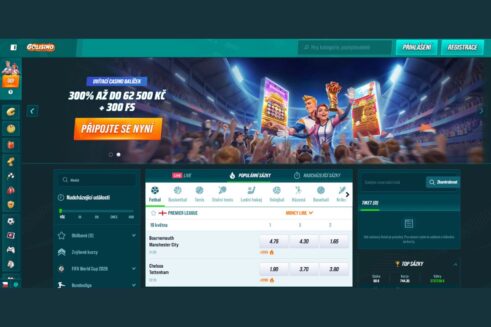
Mobile users can access the same account through a responsive browser experience on iOS or Android. The mobile version uses the same balance, login details, promotions and account functions as desktop access. There is no confirmed native App Store or Google Play application in the available material, so be cautious about downloading unofficial software that claims to provide a dedicated casino app.
Account access should remain part of a broader responsible-gambling routine. The service is for adults aged 18 and over, and support can assist with account closure or responsible-gambling breaks, including self-exclusion requests. If gambling is becoming difficult to control, pause before signing in and contact support about available restrictions rather than treating easier access as a reason to continue.
FAQ
What details are required for the casino login?
Login uses the registered username or email address and password. Because passwords are case-sensitive, check capital letters and spelling carefully. If the details are forgotten, use the password-recovery option for the registered email, or contact Customer Support if the username or email cannot be identified.
What should I do if the reset email does not arrive?
Check the spam or junk folder, confirm that the registration email was entered correctly and try the reset request again. If no message arrives, contact Customer Support. Do not open another account, as the platform allows only one account per player and a duplicate may complicate verification.
Can I use the same login on a mobile device?
Yes, the mobile browser version uses the same account and balance as desktop access. It supports the casino lobby, bonuses, cashier and support areas without confirmed native iOS or Android software. Use a current browser and avoid unofficial applications that request your login details.